


Instructions
GSAP & Lenis Smooth Scroll
This template uses GSAP (GreenSock Animation Platform) together with Lenis to create smooth scrolling and scroll-based animations.
<link rel="stylesheet" href="https://unpkg.com/lenis@1.3.20/dist/lenis.css" />
<script src="https://unpkg.com/lenis@1.3.20/dist/lenis.min.js"></script>
<script>
  gsap.registerPlugin(ScrollTrigger);

  const lenis = new Lenis({
    duration: 1.5,
    easing: (t) => 1 - Math.pow(1 - t, 3),
    smooth: true,
    smoothTouch: false, // ✅ important
  });

  // sync
  lenis.on('scroll', ScrollTrigger.update);

  // raf loop
  function raf(time) {
    lenis.raf(time);
    requestAnimationFrame(raf);
  }
  requestAnimationFrame(raf);

  // ✅ correct scroller
  ScrollTrigger.scrollerProxy(document.documentElement, {
    scrollTop(value) {
      return arguments.length ? lenis.scrollTo(value, { immediate: true }) : lenis.scroll;
    },
    getBoundingClientRect() {
      return {
        top: 0,
        left: 0,
        width: window.innerWidth,
        height: window.innerHeight,
      };
    },
  });

  // ✅ important
  ScrollTrigger.defaults({
    scroller: document.documentElement,
  });

  // refresh fix
  ScrollTrigger.addEventListener('refresh', () => lenis.resize());

  ScrollTrigger.refresh();
</script>
Counter Animation (GSAP + ScrollTrigger)
This template includes an animated counter powered by GSAP and ScrollTrigger. The counter starts from 0 and counts up to the target value when it enters the viewport.
<script>
gsap.registerPlugin(ScrollTrigger);

gsap.utils.toArray(".counter").forEach(counter => {

  const finalText = counter.textContent.trim();

  const endValue = parseFloat(finalText.replace(/[^0-9.-]/g, ""));
  const suffix = finalText.replace(/[0-9.-]/g, "");
  const decimals = finalText.includes(".") ? 1 : 0;

  // Reset to zero
  counter.textContent = "0" + suffix;

  const obj = { value: 0 };

  gsap.to(obj, {
    value: endValue,
    duration: 5,
    ease: "power2.out",
    scrollTrigger: {
      trigger: counter,
      start: "top 80%",
      once: true
    },
    onUpdate() {
      counter.textContent =
        obj.value.toFixed(decimals) + suffix;
    }
  });

});
</script>
Interactive Work Process Tabs (GSAP)
This template includes an interactive content switcher powered by GSAP. When a menu item is clicked, the active menu is highlighted, the corresponding divider becomes visible, and the related content fades and slides into view.
<script>

const menus = document.querySelectorAll(".we-work-menu-info-wrap");
const dividers = document.querySelectorAll(".we-work-menu-divider");
const contents = document.querySelectorAll(".single-we-work-contant-wrap");

let current = 0;

// Initial State
gsap.set(contents, {
  opacity: 0,
  zIndex: 0
});

gsap.set(contents[0], {
  opacity: 1,
  zIndex: 5
});

menus.forEach((menu, index) => {

  menu.addEventListener("click", () => {

    if (current === index) return;

    const tl = gsap.timeline();

    // Menu reset
    tl.to(menus, {
      opacity: 0.5,
      duration: 0.3
    }, 0);

    tl.to(dividers, {
      opacity: 0,
      duration: 0.3
    }, 0);

    // Active menu
    tl.to(menu, {
      opacity: 1,
      duration: 0.3
    }, 0);

    tl.to(dividers[index], {
      opacity: 1,
      duration: 0.3
    }, 0);

    // Current content out
    tl.to(contents[current], {
      opacity: 0,
      duration: 0.5,
      ease: "power2.out"
    }, 0);

    // Next content in
    tl.set(contents[index], {
      zIndex: 10
    }, 0.2);

    tl.fromTo(
      contents[index],
      {
        opacity: 0,
        y: 50
      },
      {
        opacity: 1,
        y: 0,
        duration: 0.7,
        ease: "power3.out"
      },
      0.2
    );

    // Reset old z-index
    tl.set(contents[current], {
      zIndex: 0
    });

    current = index;
  });

});
</script>
Interactive Chart Tabs (GSAP)
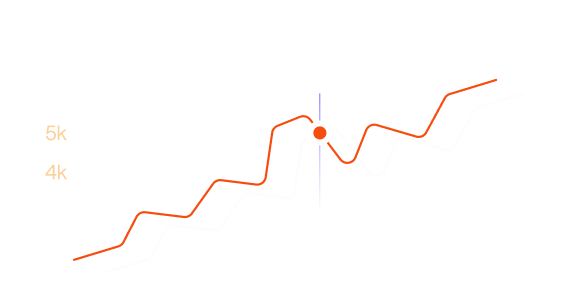
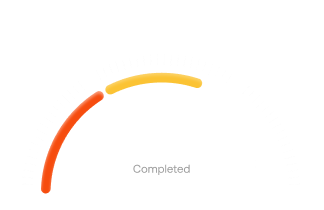
This template includes an interactive chart and menu section powered by GSAP. Users can switch between tabs by clicking on a menu item, while the section also supports automatic tab rotation.
<script src="https://cdnjs.cloudflare.com/ajax/libs/gsap/3.12.5/gsap.min.js"></script>

<script>
document.addEventListener("DOMContentLoaded", () => {

  const menus = document.querySelectorAll(".single-v2-we-work-menu-wrap");
  const charts = document.querySelectorAll(".single-v2-we-work-chart-wrap");

  let currentIndex = 0;
  let autoPlay;

  // ===== MENU SCALE + OPACITY =====
  function updateMenus(activeIndex) {

    menus.forEach((menu, index) => {

      let scale = 1;
      let opacity = 0.3; // inactive = 30%

      if (index === activeIndex) {
        scale = 1.25;   // active bigger
        opacity = 1;    // active 100%
      }

      gsap.to(menu, {
        scale: scale,
        opacity: opacity,
        duration: 0.6,
        ease: "power3.out"
      });

    });

  }

  // ===== SWITCH TAB =====
  function activateTab(index) {

    if (!menus.length || !charts.length) return;

    menus.forEach(m => m.classList.remove("active"));
    charts.forEach(c => c.classList.remove("active"));

    menus[index].classList.add("active");
    charts[index].classList.add("active");

    updateMenus(index);

    charts.forEach((chart, i) => {

      if (i === index) {

        gsap.fromTo(chart,
          {
            autoAlpha: 0,
            y: 20,
            scale: 0.98
          },
          {
            autoAlpha: 1,
            y: 0,
            scale: 1,
            duration: 0.8,
            ease: "power3.out"
          }
        );

      } else {

        gsap.to(chart, {
          autoAlpha: 0,
          y: -10,
          scale: 0.98,
          duration: 0.4,
          ease: "power2.out"
        });

      }

    });

    currentIndex = index;
  }

  // ===== AUTOPLAY (FAST 3s) =====
  function startAutoPlay() {

    clearInterval(autoPlay);

    autoPlay = setInterval(() => {

      let next = currentIndex + 1;

      if (next >= menus.length) {
        next = 0;
      }

      activateTab(next);

    }, 3000); // 🔥 5s → 3s (faster switch)

  }

  // ===== CLICK EVENTS =====
  menus.forEach((menu, index) => {

    menu.addEventListener("click", () => {

      clearInterval(autoPlay);

      activateTab(index);

      startAutoPlay();

    });

  });

  // ===== INIT =====
  activateTab(0);
  startAutoPlay();

});
</script>Get Started With Smarter Task Management
AI-powered productivity tools help teams eliminate repetitive tasks, automate workflows, and focus on high-impact work.
Stay Connected
Join our newsletter for tips Updates and project highly on the good stuff.